



Types of SSDs
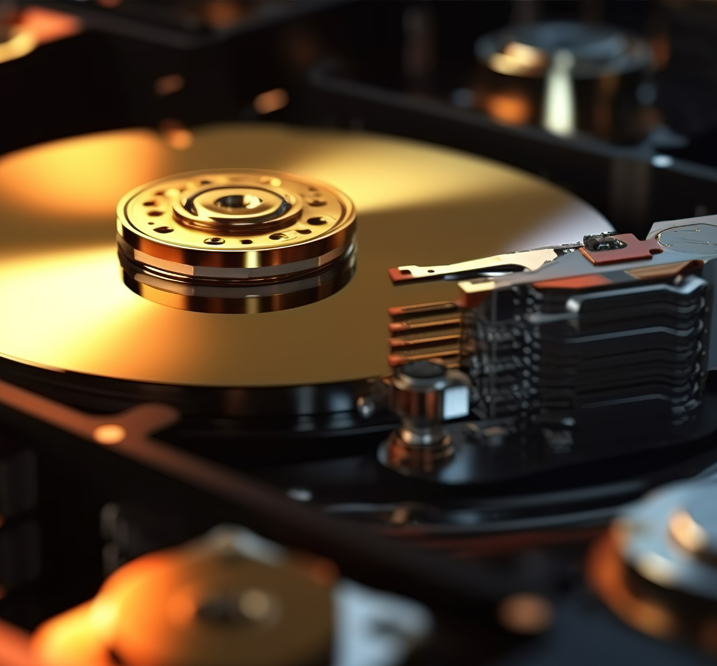
A Solid-State Drive (SSD) is a storage device that holds your operating system, programs, and files. Unlike the old hard drives that have spinning disks and tiny moving arms, an SSD stores everything on special flash memory chips - the same kind of memory used in USB/Flash sticks and phone storage. There are no moving parts at all.
Because data doesn't have to wait for a physical disk to spin or a read head to move into position, SSDs can grab information almost instantly. The results are easy to notice:
- Windows (or macOS) boots in seconds instead of a minute or more
- Programs open right away instead of making you wait
- Copying large files happens much quicker and with less noise
- The whole system feels more responsive even when it's under load
It's one of the few upgrades where the difference is obvious the moment you turn the computer back on.
If you're still running a traditional hard drive, an SSD is usually the single biggest improvement you can make for everyday speed. Many people notice the difference immediately and wonder why they waited so long.
You don't need the fastest or most expensive model. Even a basic SSD will feel dramatically better than an old spinning drive. Just make sure you get one with enough space for your files, and you're set.
In short, SSDs take the lag out of everyday computing. They're quiet, reliable, and simple to understand once you know the basics. For most people, they're the upgrade that makes an older computer feel useful again.
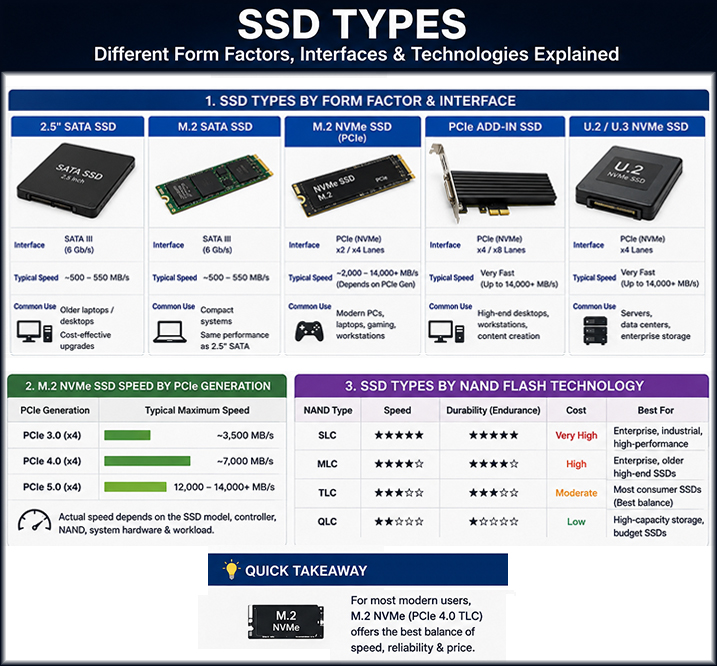
There are several types of SSDs.
- 2.5-inch SATA SSDs are affordable and ideal for upgrading older laptops and desktops, with speeds of around 500–550 MB/s.
- M.2 SATA SSDs offer similar performance in a smaller form factor.
- For modern computers, M.2 NVMe SSDs provide significantly higher performance by using the PCIe interface. Depending on the PCIe generation, NVMe drives can reach speeds of several thousand MB/s, making them an excellent choice for everyday computing, gaming, professional applications, and demanding workloads.
SSDs also use different types of NAND flash memory, including SLC, MLC, TLC, and QLC.
For most users, a TLC M.2 NVMe SSD provides an excellent balance of speed, reliability, endurance, and price.
Need help choosing or upgrading your SSD? Contact DataBackNow Help Desk at 22422201 for professional assistance.